Over the years we have used many flight comparison websites.
Many we still use, most we have forgotten entirely. The only website that has been a constant for us when it comes to air travel is Skyscanner.
In this article we will go through the most important characteristics of this website, and the reasons why we keep coming back every year when planning our adventures!
Skyscanner is a company based in the UK.
It started out as a small startup in Scotland and is now a global metasearch and comparison website that presents flights, hotels and carhire options for your search.
This is our go-to research tool to find the best prices for our flights.
Keep in mind that you cannot book flights directly through their platform as they will redirect you automatically to a third party website or travel agency to reserve a flight.
Why Skyscanner?
Let’s go through the different features that make Skyscanner our number one choice:
30 days overview
Skyscanner aggregates the lowest prices on the web in both a calendar and chart form, allowing you to check for prices for an entire month. This will help you choose and filter through the cheapest days of the week to fly.
To access this feature, go to the flight selection tool and insert your departure and destination. Then, instead of selecting a specific date, you can choose a whole month, as seen below:
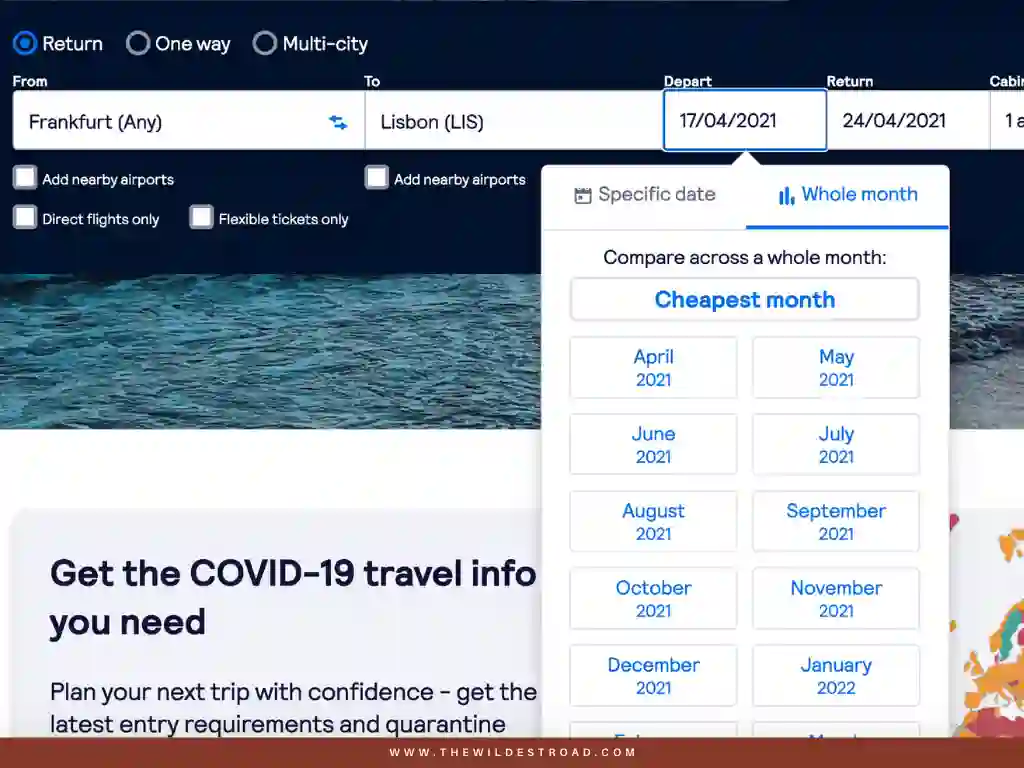
Once you have selected this option, you will be presented with the calendar of your month of choice. The prices of the flights will be colour coded:
- Green: Cheapest price available;
- Orange: Moderate price;
- Red: Expensive price.
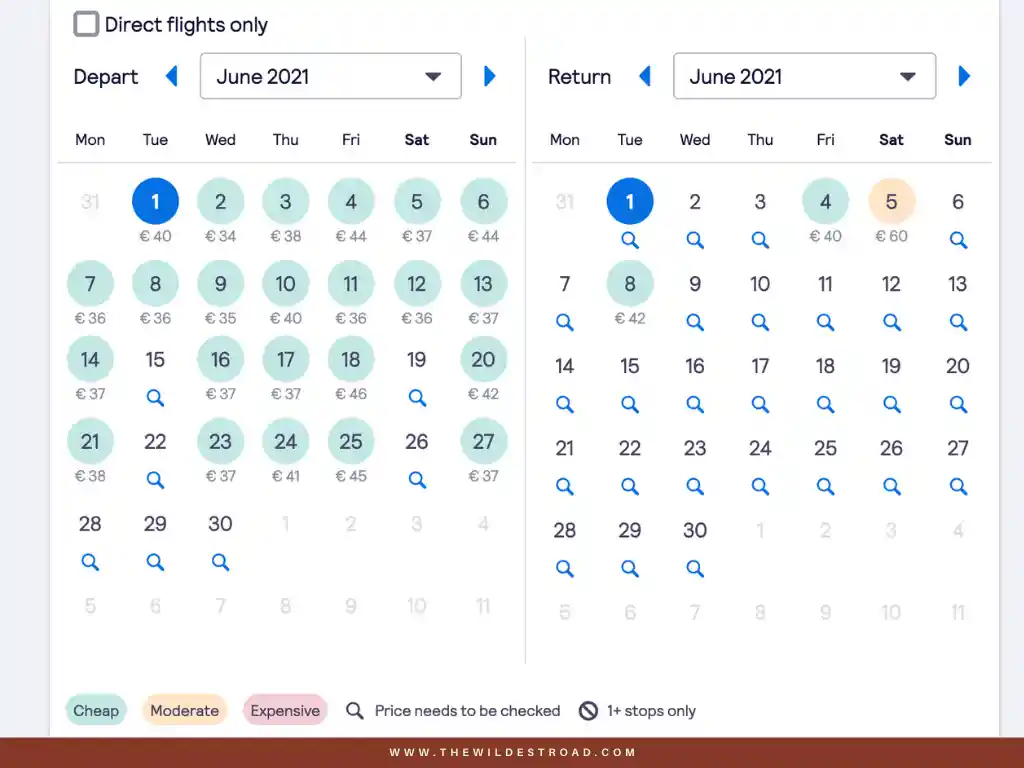
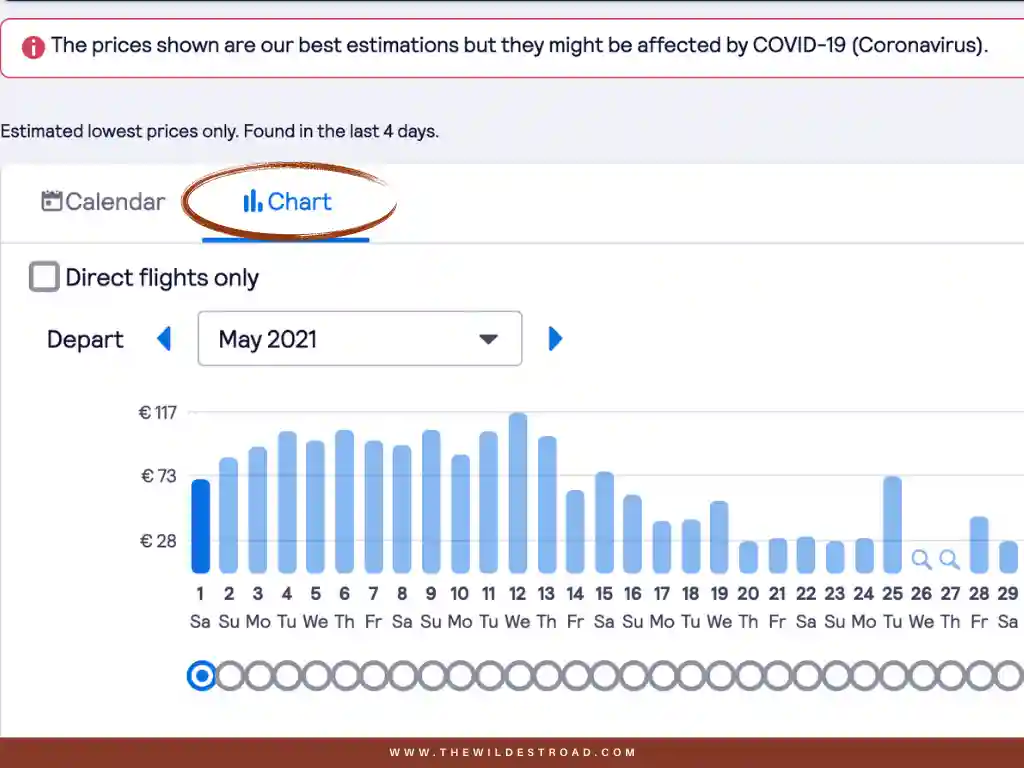
Although I much prefer their calendar view when researching for flight prices, you also have the option to compare the different dates in a chart view.
For us, the entire month overview is a really important part of the process when choosing the best flights. Usually we try to always book the cheapest day on the calendar, taking also in consideration the different airlines that we will be flying with.
The “cheapest month” feature
Like we have seen with the “30 days Overview”, we can utilise Skyscanner’s features to check and compare the best prices within a whole month.
The good news is that you can actually know which month will be the least expensive one for you to fly!
You just need to type in your departure and destination and, instead of selecting your month of choice, you can select the “Cheapest Month” option instead:
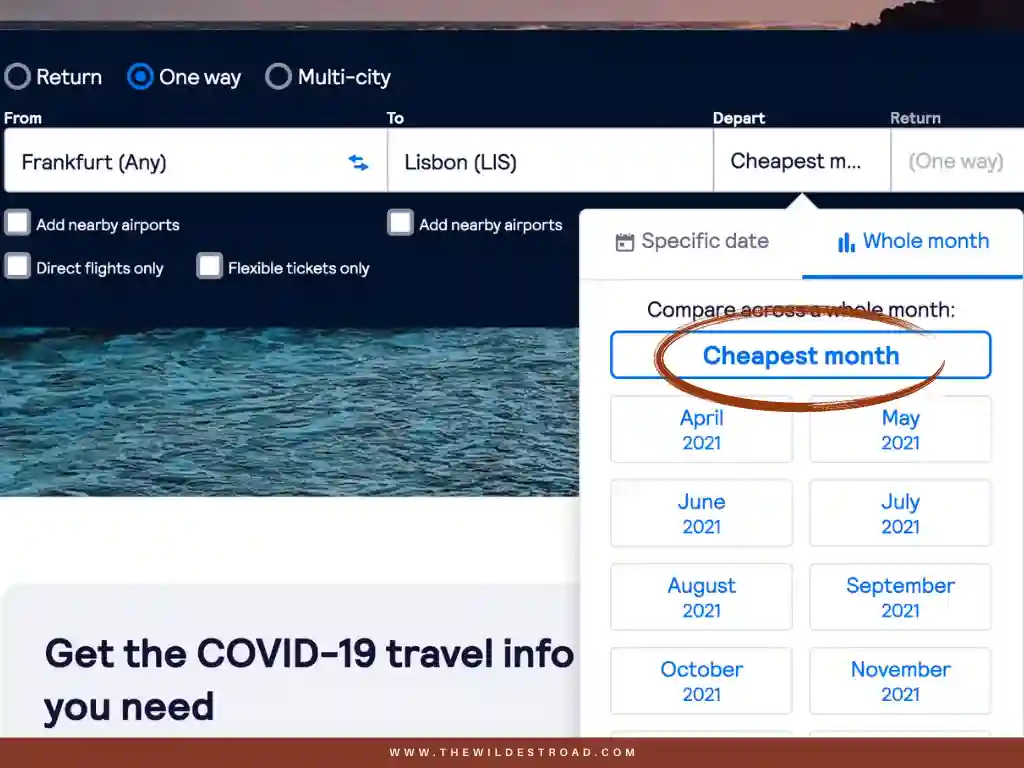
You will then be presented with the same calendar as before, colour coded with the cheapest and most expensive days of travel within that month.
This is specially great when the destination you are aiming for is generally too expensive and you are looking for options or alternatives, like travelling off season!
We found amazing prices for African destinations through this option in 2019! It is one of the reasons why we always check for the cheapest month, no matter the destination, along with the next tool on our list, to find the best flight deals!
“Everywhere” search
Probably our favourite feature and the reason why we keep using Skyscanner, over and over. The “Everywhere” search, as the name suggests, allows you to search for flights to anywhere in the world.
You can access this feature through the flight selection as well, but instead of selecting an entire month, you can select “Everywhere” as shown below.

Once this option is selected, a new page will show you a list of countries.
They will be sorted by price, from the cheapest option up to the most expensive one:
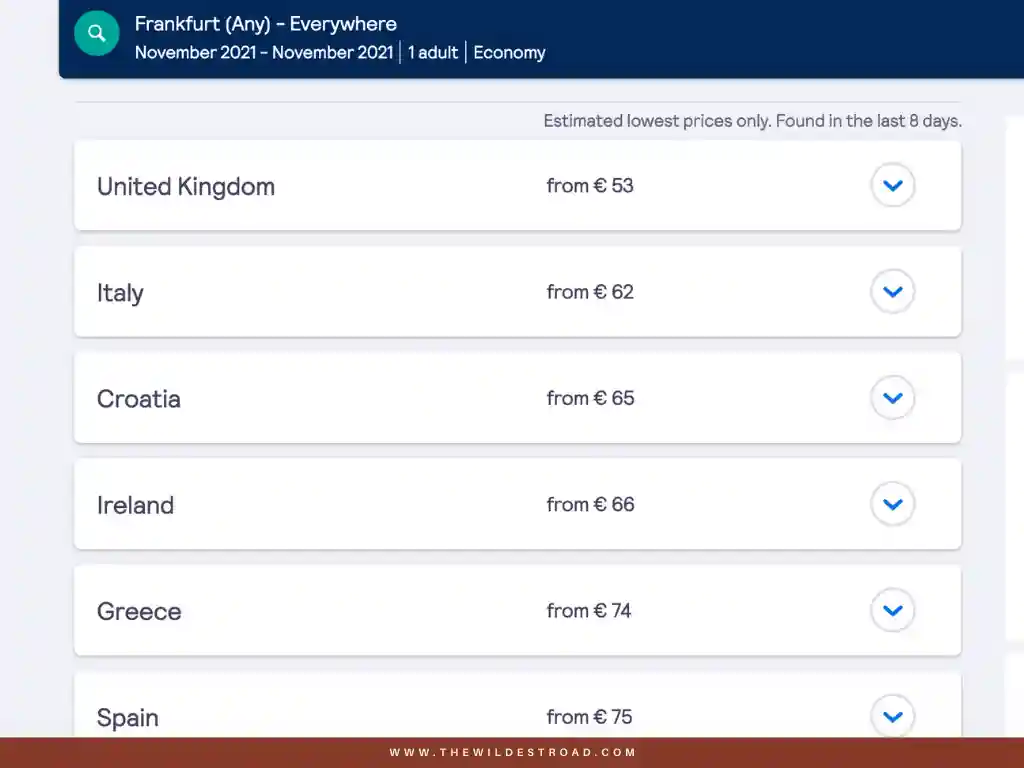
As you can see, next to the average price shown for each destination, there is a blue arrow pointing down. When clicking on it, you can compare the differences in prices within the airports of the destination of your choice.
As an example, we selected Italy as our destination and will now check and compare prices within the different airports in the country.
As you can see, once we compare the different airports, it will be more affordable for us if we fly to Milan and explore the north of Italy during this specific period, instead of heading to Rome directly.
If we were planning on going to Italy during this period, we would probably explore the country up north first and then go down south progressively, maybe flying back from Rome instead.
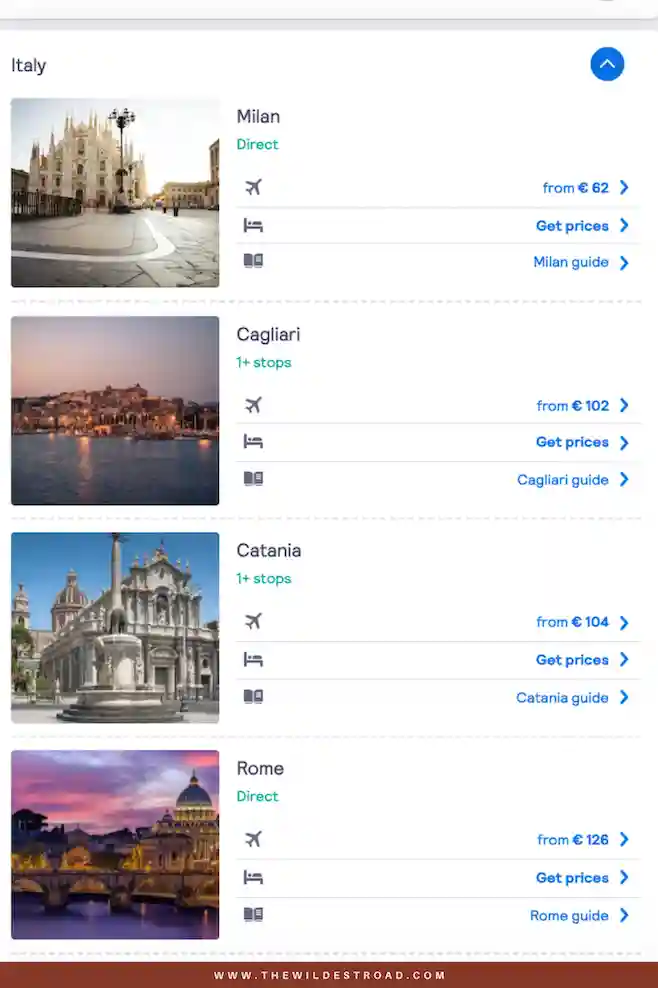
This example shows that being flexible when you travel, and when possible, can definitely save you a lot of money.
You can discover different regions of a country that you were not even considering in the first place, and be a bit more spontaneous. I have to say that I love planning our trips, but a bit of spontaneity goes a long way and makes for memorable and epic adventures.
The “Everywhere” feature is the reason why we have visited so many places we didn’t even think of in the first place! It is a fun way to discover new destinations and we find that it opens up so many new travel opportunities.
This is why it is, for us, the best feature of Skyscanner!
Big selection of carriers and ratings
When you start doing some research for your next flight, you will see that Skyscanner provides quality ratings and reviews of all of their OTAs (online travel agencies).
This feature not only promotes trust, it also helps you choose cheap but reliable flights.
To have access to this ratings, you can select a flight that you are interested in booking. You will see that there is a list of deals sorted by price that appear under the flight you selected.
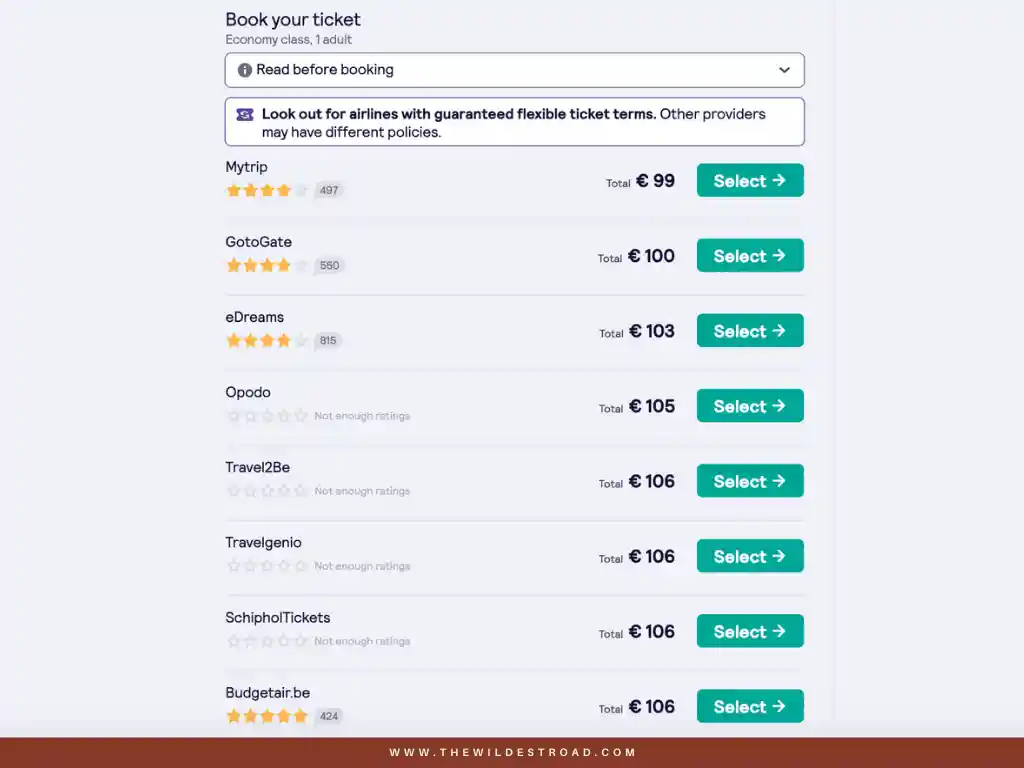
Now you just need to click on those reviews to see what people have to say about those third-party booking sites before you commit to a reservation.
We would recommend that you do some research on those platforms before booking a flight, on top of looking at those ratings and finding out more about what other people have to say or what they have experienced.
Getting price alerts
Already know where to go and when, but the prices are still way too expensive? Well, you can actually receive price alerts for a specific date and destination directly to your e-mail address!
First you will need to select the departure and destination, as well as the specific date you intend on travelling. Once you do this you will have the option “Get Price Alerts” on the left side of the screen, as seen below:
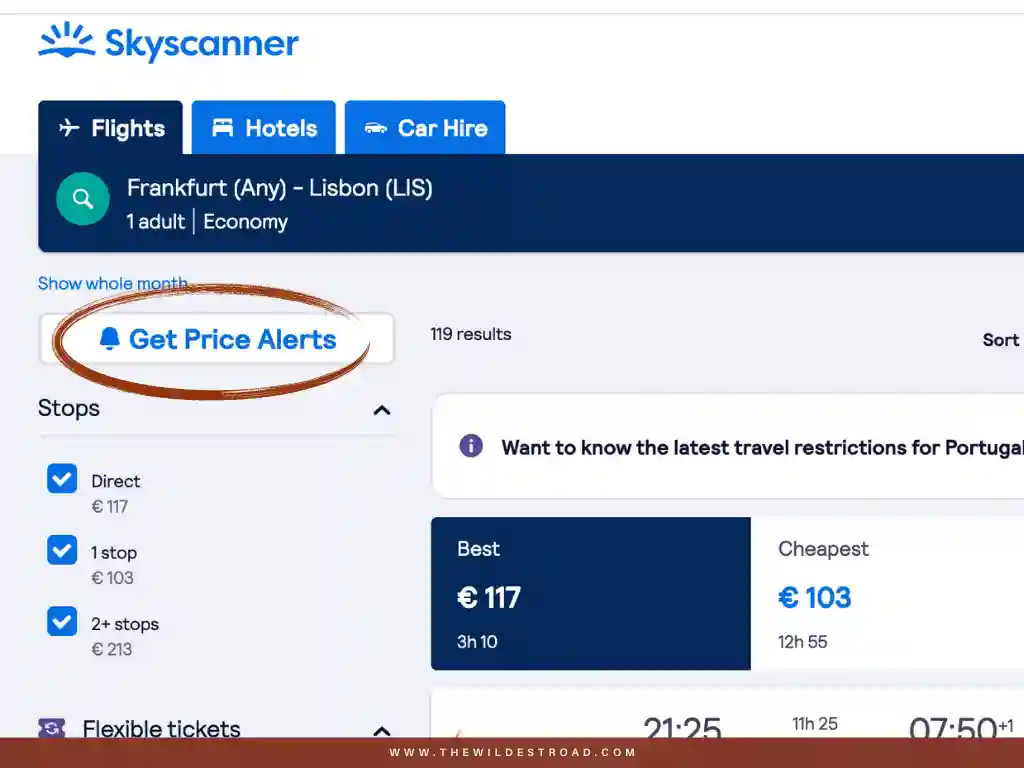
To get price alerts, Skyscanner will ask you to register your e-mail. If you prefer you can use a Google, Facebook or Apple account instead.
Skyscanner will then let you know when there is a fluctuation in price.
We only used this tool once for a trip to New York but found it useful, as the prices were changing all the time, and it was particularly difficult to track.
These are our top tips when booking flights
- Use incognito mode while searching flights with Skyscanner. Most of the time, prices are least expensive when we do this. I have tested it before and, although it may not be a drastic difference, we do feel it in our wallet after taking so many flights! And every penny counts, right?
- Before booking a flight, always check the airline’s official website along with Skyscanner to compare their price to the one shown on the platform. Sometimes, when you book through the airline’s official website, the price can change and be even lower than the one you see through Skyscanner. This rarely happens but we recommend that you check, just in case.
I hope you enjoyed learning more about Skyscanner, and that you also can take advantage of their platform to find the best deals on flights to your next adventures!